
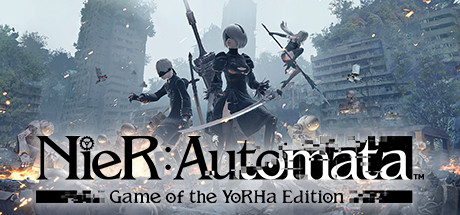
NieR Automata in VR
for NieR:Automata™ · by aracielVR · released 17 Oct 2026
A mod added to the existing PC game to enable VR. A dedicated VR mod built for this one game. These are normally the best experiences, because controls, menus and comfort were designed for VR rather than injected.
Get it from GitHub
Free: Public free download/source project; no paid tier stated.
Downloads happen on the creator's own page. PCVR Central never rehosts files.
Setup walkthroughs
Community research
The public 0.5.4 build has real stereo, tracked-head gameplay, readable HUD/menu layers, several tested headset families and simple drop-in install; controller input remains gamepad emulation, so playable fits better than excellent.
Evidence checked: Creator README and latest 0.5.4 GitHub release checked; current release explicitly lists supported headset/runtime families and install steps.
Known limitations
- VR controllers map to a standard gamepad, so no tracked-hand combat interactions or 6DoF aim.
- Both-eyes-every-frame mode uses roughly twice the GPU time; alternating-eye mode is lower cost.
- No external community full-playthrough report was located in the inspected sources.
Full details
- VR implementation
- VR Mod
- Platforms
- PCVR
- Framework
- Dedicated VR mod
- Price
- Free, Public free download/source project; no paid tier stated.
- Motion controls
- Gamepad only
- Controller details
- Quest Touch, Index, Pico, Vive, WMR and PSVR2 controllers act as a standard gamepad; there is no hand-aiming or physical interaction. Supports automatic switching among VR controllers, keyboard/mouse and gamepad. VR settings menu uses the standard gamepad inputs. 6DoF applies to head tracking, not aim.
- 6DOF aim
- No
- Roomscale
- No
- Left-handed
- Unknown
- Perspective
- Third-person
- VR runtime
- OpenXR
- Headsets tested
- Pimax Dream Air, Meta Quest 3 (Steam Link and Virtual Desktop), Pico 4, PSVR2 through SteamVR
- Storefronts tested
- Steam
- Install difficulty
- Easy install
- Requirements
- Steam version of NieR:Automata, Copy d3d11.dll from the release ZIP to the game folder; start OpenXR runtime first, Use windowed/borderless mode and high game resolution because headset rendering uses the game’s render size
- Game version tested
- Unknown
- Last verified
- Never
- Source
- GitHub
- Download / install
- Open creator download / install page
- GitHub repo
- aracielVR/NieR-Automata-in-VR
- Known latest version
- 0.5.4
Player reviews
Player opinion, separate from the quality label above. That label is our reading of what a method does; these are other people's experience of actually running it.
Spotted a problem, or played this yourself?
Freshness depends on reports from people who actually ran it.