
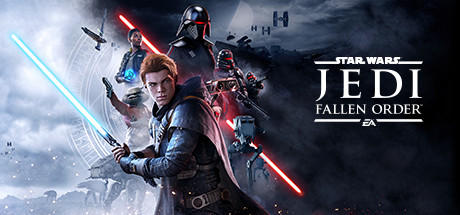
Pande4360's UEVR profile
para STAR WARS Jedi: Fallen Order™ · por Pande4360 · publicado el 13 Jan 2026
Un marco o inyector reutilizable que agrega soporte VR a uno o más juegos. Un perfil de la comunidad para UEVR, el inyector universal para juegos de Unreal Engine. Instalas UEVR una vez y luego cargas este perfil para jugar a este juego en VR.
Notas de Pande4360
Release V1.04 beta Finished main story (no gameplay plus tested) and some sidequests Beta feature: - Decreased collision size of your own body when saber is ON (experimental) Latest Changes: - Fixed collision changes affecting size of blade Install: - Import profile and play - Disable motion blur in settings - Equip poncho for better cutscenes - You might wanna install perf mod on Nexus for better performance if needed Known issues and workarounds: - If you face a tutorial prompt controls will revert to default uevr scheme, press the corresponding things as described to proceed - he train level at start: - A lot of tutorials so prepare to switch a lot to basic controls or play it flat. - Wagon with 2 troopers before the Locktarget tutorial: Order: Enter with sword off, finish lock tutorial-> block-> perfect block-> perfect block and counter-> slow - After dago 1st time temple your Lightsaber breaks officially, dont use it till you fix it. blocking wont work despite having it - Endboss on dagothmir probably needs to be finished with a force push for now Status: - Advanced collision based 6d0f Melee combat Saber throw, Gesture based force control Single, dual, Twin saber styles VR optimized special moves and button layout - 1st Person Camera and controls - Visible hands with some poses - Lightsaber Holster Combat System: - Movement: Rstick up and down for jump and dodge - DPAD: can be configured in uevr/Input - Collision Combat: - Collision based Attacks: Hit stuff with lightsaber to damage it, the harder you swing the more damage you cause Damage is amplified further if you use 2 handed Grip There´s a minimum speed requirement Attack can damage one enemy per swing - Collision based Blocking: Stagger enemies by at least slightly damaging enemies Block enemy melee weapons by touching their weapon with the lightsaber during their attack animation Deflect Blasters with lightsaber There´s a minimum speed requiremnt for blocking melee attacks(low in comparison to attack), but means you need to take more risk to meet their attacks Lightsaber Combat abilities: - B Button+ Right Hand forward: Leap - Basic enemies can be executed with B Button or below method - Y Button + Swing: triggers Xbox X button(e.g. execute or prompts or basic attack) - During Jump Swing Left Hand Down for Smash attack(needs to be unlocked) - Swing Down after back dodge for kick(needs to be unlocked) - 2 handed single blade deals much more damage per hit - Both hands up will do a flip behind enemy - After leap/flip x1.5 damage within 1.5seconds on next hit Other Lightsaber VR stuff: - Hold A button to turn off 2 lightsabers - Change Grip with Grip button - Turn on Off with A button - Hold left Grip for 2 handed - Switch Twin/DualSaber: Hold Both Grip close to each other Force Powers: - Force Push: Trigger+ forward motion, - Force Strong Push: (Hold Trigger) + B Button + forward motion - Force Pull: LeftTrigger - Force Strong Pull: Hold LeftTrigger - Force Slow: Trigger+ side swipe motion - Force Strong Slow: (Hold Trigger + B Button + Side Swipe Motion - Force Lightsaber Throw: Trigger+ Grip + Swing Holster: - Sheathe: Hold R Grip near Right Hip(when vibrating) for 1 second - Unsheathe: Hold R Grip near Right Hip(when vibrating) and pull a little Prompts: - B Button: Xbox-XButton - X Button or RStick Down: Xbox-BButton ScriptUI Settings, UEVR Menu/ScriptUI: - Headbased movement: Forward Vector is head - Desktop View During Cutscenes (also grants Full vision in VR, but you see all the ugly unrendered stuff), also fixes double vision - Haptic Feedback for Holster On/Off - Doublevisio Fix: if you have doublevision in cutscenes(Desktop view may also fix this) - Swap A and B, Y and X buttons on vr controllers - Min block speed: minimum speed of hand to trigger melee blocks - Min Attack Speed: minimum speed of hand to trigger attacks - Projectile speed of normal blasters, default 10000
Consíguelo de el sitio oficial
Gratis
Las descargas se realizan en la página del creador. PCVR Central nunca vuelve a alojar archivos.
Instalando un perfil de UEVR
Cada perfil de comunidad UEVR se instala de la misma manera. Si has usado uno, Los he usado todos.
- Instale UEVR mismo desde uevr.io. Es gratis y es un programa separado del perfil: el perfil es solo configuración.
- Descarga el perfil desde la página del creador vinculada arriba. Es un
.zip. - Inicia el juego, luego abre la interfaz UEVR y selecciona el juego. proceso de la lista.
- Importa el perfil con la opción de importación del frontend. UEVR mantiene
configuración por juego en
%APPDATA%\UnrealVRMod\<game executable name>. - Inyectar. Una vez que estés en VR, presiona
Insert(oL3+R3en un controlador) para abrir el menú del juego y ajustar cualquier cosa que parezca mal.
Si un perfil se comporta mal, elimina la carpeta de ese juego en
%APPDATA%\UnrealVRMod\ e importarlo nuevamente desde cero.
Vídeo tutorial de los mismos pasos:
Notas de configuración
Author lists known issues, including control reverting at tutorial prompts and lightsaber breakage after Dago.
Detalles completos
- VR implementación
- VR Marco / Inyector
- Plataformas
- PCVR
- Framework
- Perfil de UEVR
- Precio
- Gratis
- Controles de movimiento
- Controles de movimiento completos
- Puntería 6DOF
- Sí
- Roomscale
- Desconocido
- Zurdo
- Desconocido
- Perspectiva
- Desconocido
- Runtime de VR
- OpenXR & OpenVR
- Visores probados
- Ninguno reportado aún
- Tiendas probadas
- Ninguno reportado aún
- Dificultad de instalación
- Instalación Fácil
- Requisitos
- UEVR (praydog's Unreal Engine VR injector), SteamVR or another OpenXR runtime
- Versión del juego probada
- Desconocido
- Última verificación
- Nunca
- Fuente
- el sitio oficial
- Repositorio de GitHub
- Pande4360/JediFallenOrderVR
- Última versión conocida
- 1.0
Reseñas de jugadores
Opinión de los jugadores, independiente de la etiqueta de calidad de arriba. Esa etiqueta es nuestra lectura de lo que hace un método; estas son las experiencias de otras personas al ejecutarlo realmente.
¿Has detectado un problema o lo has jugado tú mismo?
La vigencia de la información depende de los informes de quienes realmente lo han ejecutado.